Profile optimization
Google Business Profile optimization,step by step
Ten steps, in the order that matters, for the profile people see when they search for what you do nearby. Each one says what to do yourself, and where Rank Pilot can do it for you.
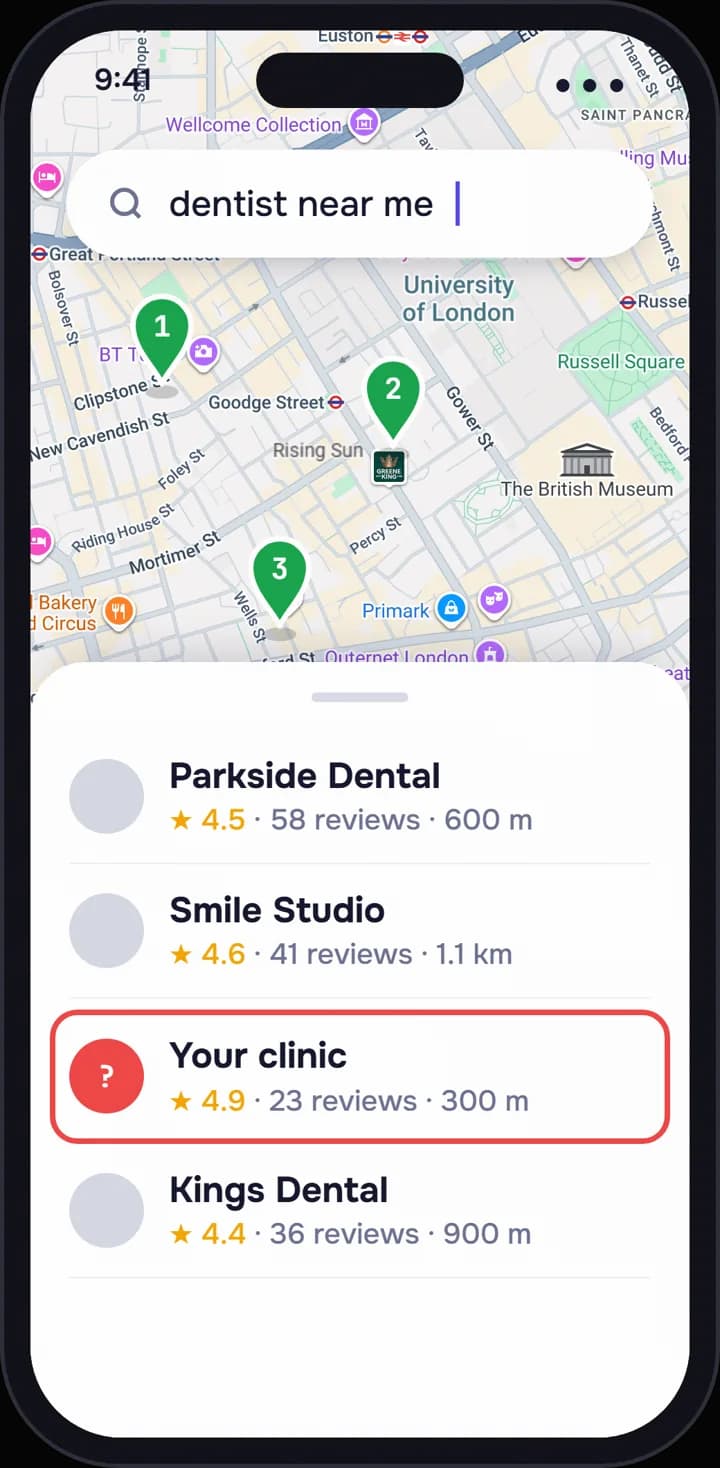
- Primary category made specificFixed
- Services added in customers’ wordsFixed
- Holiday hours for DecemberDrafted
- Reviews still without a replyFound
- This week’s postDrafted
Map © Google
Start here
What optimization actually means.Every field true, complete and current.
Your Google Business Profile is the panel that appears when someone searches for your business, and the card they tap when you show up on the map for “dentist near me”. Google ranks local results on three things it describes publicly: relevance, distance and prominence. You cannot move your address, so the work is in the other two.
Relevance is how well your profile matches what the person typed. Prominence is how well known and well regarded the business looks, from reviews, photos, links and activity. Optimizing a profile means making every field true, complete and specific, so Google has the evidence to match you to more searches and to trust what it shows.
None of it requires tricks, and most of it you can do yourself in an afternoon. Before you start, it helps to know where you stand today: see where you rank on Google Maps in about a minute, from points across your city rather than from your own front door.
Before you touch a field.Four things to get right first.
- Claim and verify the profile, and make sure you own it rather than a former employee or an old agency.
- Use your real business name, exactly as it appears on your sign. Adding keywords or a city to the name breaks Google’s guidelines and can get the profile suspended.
- Keep the name, address and phone number identical on the profile, your website and the main directories.
- One profile per real location. Duplicates split your reviews and confuse the ranking.
The ten steps.In the order they pay off.
Work through them once properly, then keep them current. A profile that was perfect two years ago and has not changed since reads as a business nobody looks after.
- 1
Categories: the most specific primary, then honest secondaries
The primary category is the single strongest relevance signal on the profile. Choose the most specific one that is true: “Cosmetic dentist” or “Pediatric dentist” rather than plain “Dentist”, if that is the core of the practice. Then add secondary categories, up to nine, for the other services you genuinely offer.
Look at which categories the businesses above you use; that is often where a missing secondary turns up. Do not add a category for something you do once a year.
Rank Pilot does this: it rebuilds your profile, categories included, then keeps it current, and it tracks the primary category of the competitors around you and tells you when one changes.
- 2
Services: every one, in the words customers type
List each service separately, named the way a customer would search for it: “teeth whitening”, “emergency dentist”, “Invisalign consultation”. Add a short description and a price or a range where you can. Services you do not list are services Google has trouble matching you to.
Rank Pilot does this: the services list is part of the profile it rebuilds and keeps current.
- 3
Description: what you do, for whom, and where
You have up to 750 characters. Use the first two sentences for what matters most: what the business does, who it is for and the area it serves. Then cover what makes you different that a customer can check, such as evening appointments, languages spoken or a specialism.
No links, no capital letters for emphasis, no list of keywords. Write it for a person, because a person reads it.
Rank Pilot does this: it writes the description as part of the profile rebuild, and you save it before it goes to Google.
- 4
Hours: exact, with every holiday set in advance
Set regular hours to the minute, then add special hours for each public holiday before it arrives. Mark temporary closures for holidays or renovations rather than leaving the old hours up. A customer who drives over and finds the door locked leaves a review about it.
Rank Pilot does this: hours are kept current with the rest of the profile.
- 5
Attributes: tick everything that is true
Attributes are the small facts Google offers per category: wheelchair access, parking, languages, online appointments, women-led, kid friendly, accepts new patients. They take minutes and they answer exactly the questions people now type in full, including in Ask Maps, Gemini’s answers inside Google Maps.
- 6
Photos: recent, real and of the right things
Upload a logo and a cover photo, then the photos a new customer wants before they visit: the entrance from the street (so they recognise it), the inside, the team, and the work itself. Add new ones every month or two; a profile whose newest photo is three years old looks closed.
Use your own photos. Stock images are easy to spot and tell Google nothing about your place.
- 7
Reviews and replies: answer every one
Reply to every review, positive and negative, in your own voice and in reasonable time. A good reply thanks the person, mentions what they came in for in a natural sentence, and for a complaint, says what you will do. Never offer anything in exchange for a review, and never post reviews for yourself.
Getting more reviews is its own subject, with rules worth knowing: how to get more Google reviews without breaking the rules.
Rank Pilot does this: each new review gets a reply drafted in your voice. Once you save it, Autopilot (on by default) publishes it two hours later.
- 8
Posts: one a week, about something real
Posts show on the profile and tell Google, and visitors, that the business is active. Write about something concrete each week: a service, a seasonal reminder, a new team member, an offer with a date. Add a photo and a button to book or call.
Rank Pilot does this: it drafts one post every Monday, and it is published after you save it.
- 9
Questions: make the answers findable before anyone asks
Where Google has replaced the old questions and answers with the “Ask about this place” button, a visitor’s question is answered by Gemini from your profile, your reviews and your website. You no longer write those answers one by one; you make sure the facts are there to be found.
Go through the ten questions you hear most on the phone, and check each answer is stated somewhere on the profile or the site.
- 10
Service area: only where you really go
If you visit customers rather than receive them, as a plumber, cleaner or mobile mechanic does, set a service area and hide the street address if customers do not come to you. List the towns or districts you actually cover. Google’s guidance is to keep the area within about two hours’ drive of where you are based.
A service area does not make you rank everywhere inside it. It tells Google where you work, and distance still counts.
Then measure it.From more than one spot.
Ranking on the map changes street by street. Checking from your own phone at the front desk tells you about one point, and that point is usually your best.
The honest way to measure a profile is a grid: the same search, checked from points spread across your city, every week, so you see where you show in the top three and where you vanish. Then compare yourself with the businesses that beat you, on the things you can change.
- Rank checked every week from 25 points across your city
- Competitors’ rank, rating, review count, photos and primary category, with their changes
- What changed, in an email every Monday
- A full audit of the profile in the app every month
That is what Rank Pilot runs for you, alongside the profile work above.
Five mistakes that undo the work.
- 1
Keywords stuffed into the business name. It works for a while, then the profile is suspended.
- 2
A virtual office or a PO box as the address. Google requires a real place where you meet customers or work from.
- 3
Buying reviews, or reviewing yourself from friends’ accounts. Google removes them, and can remove more than those.
- 4
Changing the name, address and categories all at once. Big edits together can trigger a re-verification.
- 5
Doing it once and leaving it. Hours drift, photos age, reviews pile up without replies.
Do it yourself, or have it done.
Everything above is possible on your own. The hard part is not the first afternoon; it is every week after it.
If you would rather hand the weekly part over, that is what Rank Pilot’s done-for-you profile management is for: the profile rebuilt and kept current, a reply drafted for every review, a post drafted every week, competitors watched, and you saving what goes out.
And if you have done all ten steps and still do not appear, the cause is usually something else: a suspension, a duplicate, a category mismatch, or a distance problem. Our checklist for when your business is not showing on Google Maps goes through them in order.
Straight answers
Profile optimization, answered.Short answers to the usual questions.
What is Google Business Profile optimization?
It is the work of making every field on your Google Business Profile accurate, complete and specific: categories, services, description, hours, attributes, photos, review replies, posts and service area. It helps Google match you to more nearby searches and helps people choose you once they see you.
How long does it take to see results?
Changes to a profile usually show on Google within days, but rankings move at their own pace and depend on your competitors too. We do not promise a timeline. What you can do is measure the same searches every week from the same points, so you see the change rather than guess at it.
Which part of the profile matters most?
The primary category, by a clear margin, followed by reviews and how you answer them. If you only have an hour, check that the primary category is the most specific true one and that every review has a reply.
Should I put keywords in my business name?
No. Google’s guidelines say the name must be your real business name. Adding keywords can help briefly, and then the profile gets suspended, which costs far more than it gained.
Can I optimize a profile without a storefront?
Yes. A service-area business hides its address and sets the areas it serves instead. Everything else in this guide applies the same way.
Is this the same as Google Business Profile management?
Optimization is the work itself, which this page explains so you can do it. Management means someone does it for you, week after week. Rank Pilot is the management option, at $79 a month with a 7-day trial.
See which steps your profile is missing.It takes about a minute.
Type your business name. You will see where you rank across your city, which competitors are ahead, and which of these ten steps your profile has not done yet.
- About a minute
- No sign-up
- Your real competitors